How it works
From gifted sample to a creator you own.
TikTok Shop sample orders land in Shopify with no creator name attached, so most brands gift blind and chase content for weeks. DiscoCollabs flips it: a QR in the box, and the creator introduces themselves. Here's the whole loop — the brand side in two steps, the creator side in five, using the real screens from the app.
01 · The order You
The sample order lands in Shopify.
A TikTok Shop sample request, or a box you send yourself, lands in your Shopify admin as a gifted order. DiscoCollabs picks it up automatically and gives that order its own private key — the thing the QR points at.
02 · The insert You
A branded insert prints with the box.
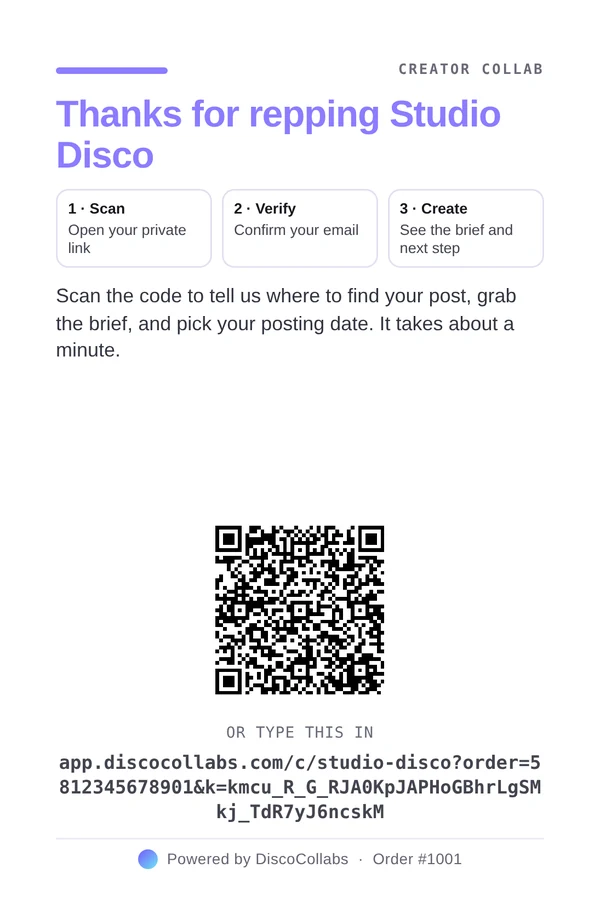
Your logo, a thank-you, three steps, a QR and the full link printed underneath, on an A6 card that goes in every box you pack yourself — including TikTok Shop sample orders you self-fulfil. You set the headline, message and accent colour once; every order prints its own code.
Boxes packed in TikTok's own warehouses (Fulfilled by TikTok) can't carry a custom insert, so the app keeps those out of your print queue.
Insert card · A6 · demo order 03 · The scan Creator
One scan opens your hub.
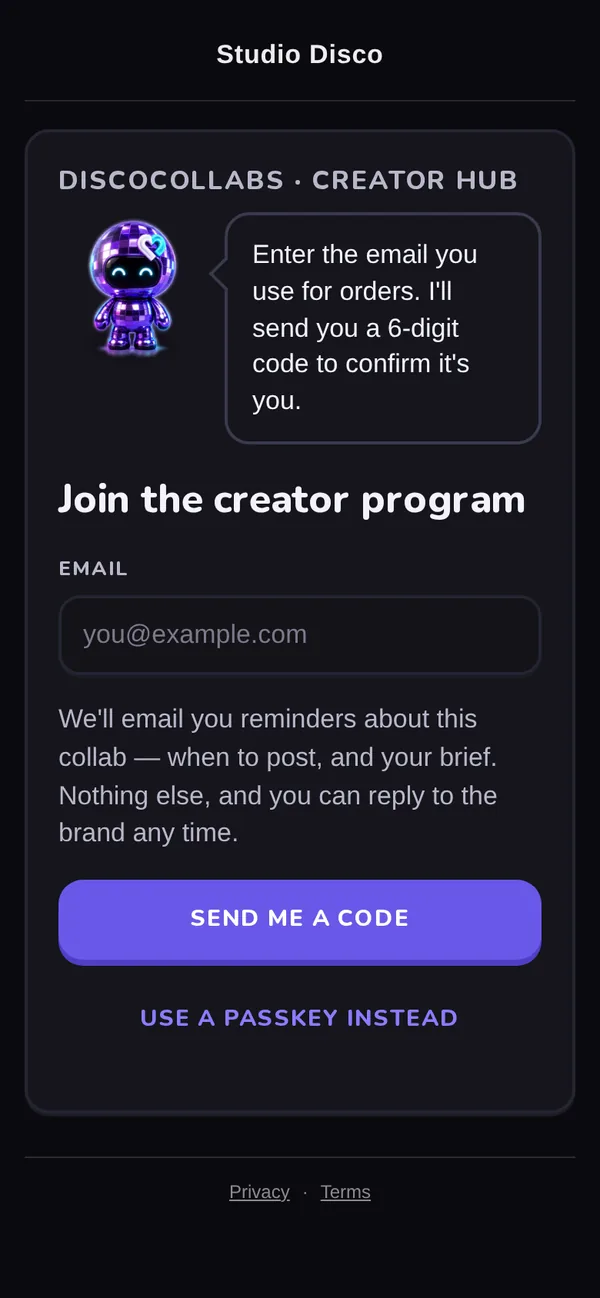
The creator scans the QR and lands on your branded hub. No login, no app to download. They enter the email they use for orders, and the hub tells them exactly what that email is for: reminders about this collab, and nothing else.
Creator hub · the door 04 · Verified Creator
A 6-digit code, and they're in your roster.
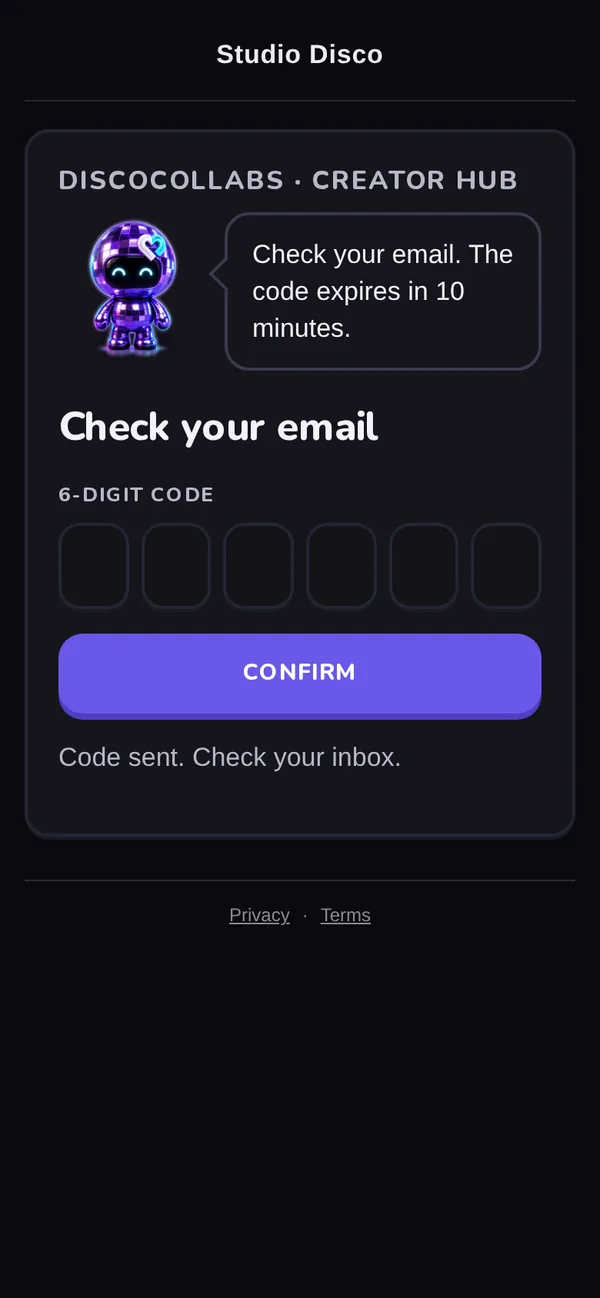
The code confirms the email belongs to them, and from that second the creator is in your roster, on your side — their handle follows from the post link they turn in. A passkey makes the next visit one tap. Re-scanning the box later picks up right where they left off.
Creator hub · email code 05 · The brief Creator
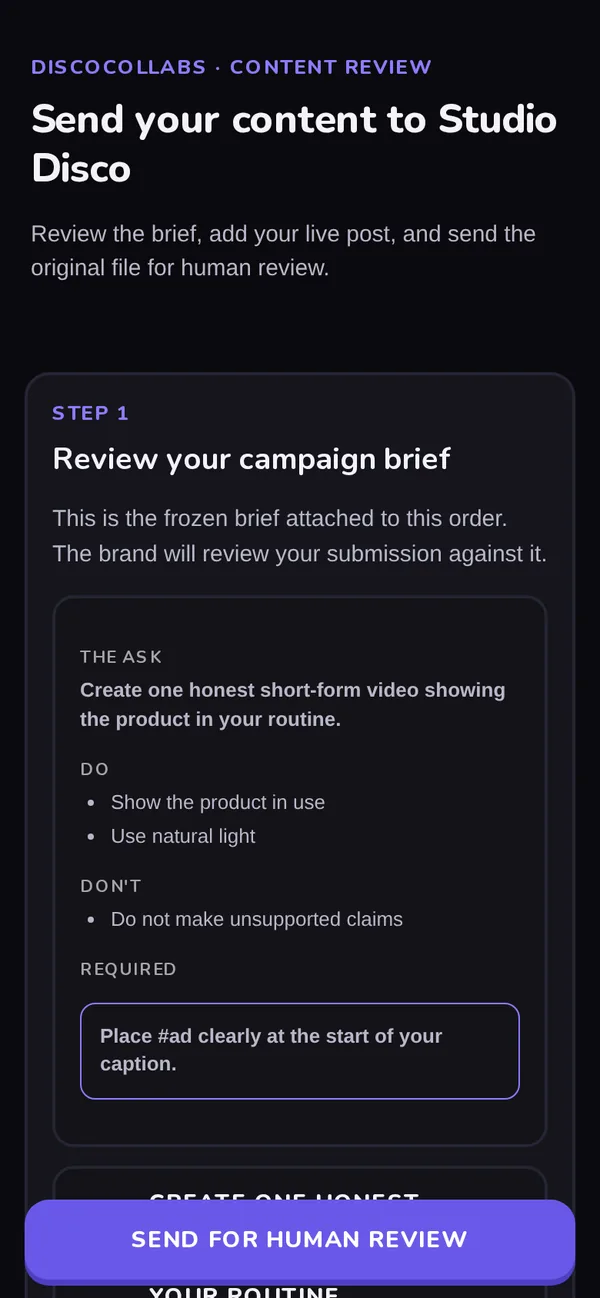
One page, built for a phone.
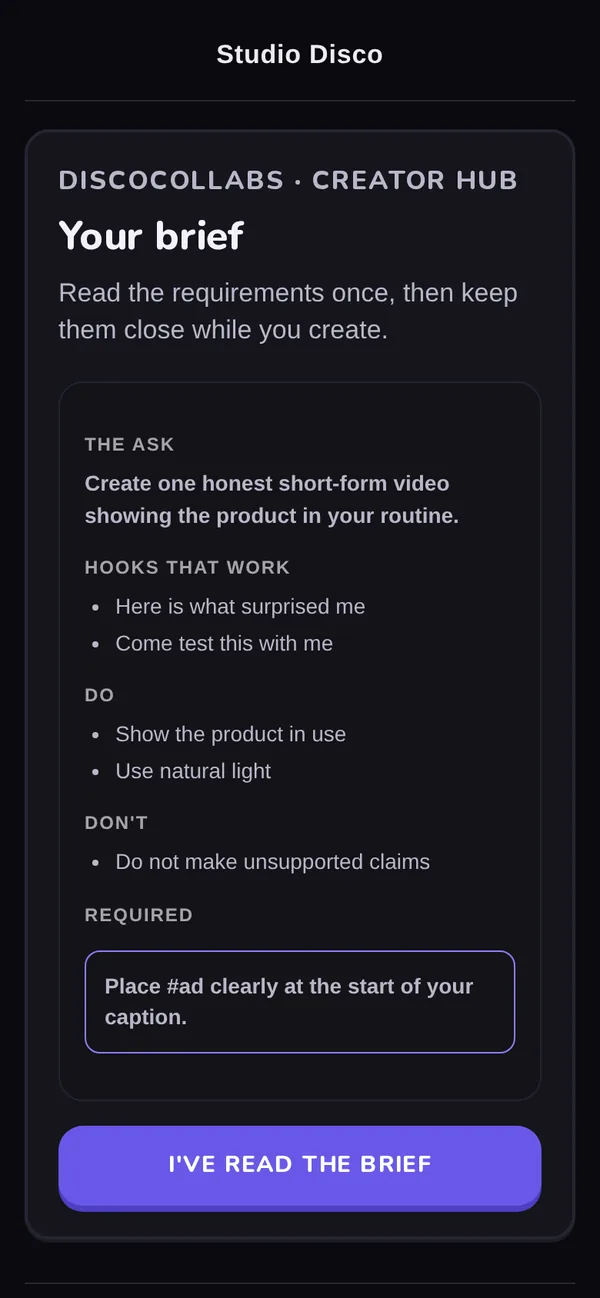
You write the brief once in the brief builder. The creator gets the ask in one sentence, hooks that work, do's and don'ts, and the disclosure line they must use. The brief is frozen to the order, so it's the version you review against.
Creator hub · the brief 06 · Turn in Creator
Links in, footage in, rights recorded.
The creator adds their live post links — TikTok, Instagram or YouTube — and, if they choose to, the original file. Raw footage only lands when the creator opts in. Usage rights are recorded with the exact wording they agreed to, at the moment they agreed.
Spark and Instagram ad codes are optional: turn them on per brand if you run creator content as ads.
Creator hub · turn in 07 · Submitted Creator
A person reviews it. Nothing auto-approves.
The submission lands with your team for human review, and the creator sees exactly what arrived: files, links, and that a person will look at it. Every extra post is upside — they can re-scan the box and add another any time.
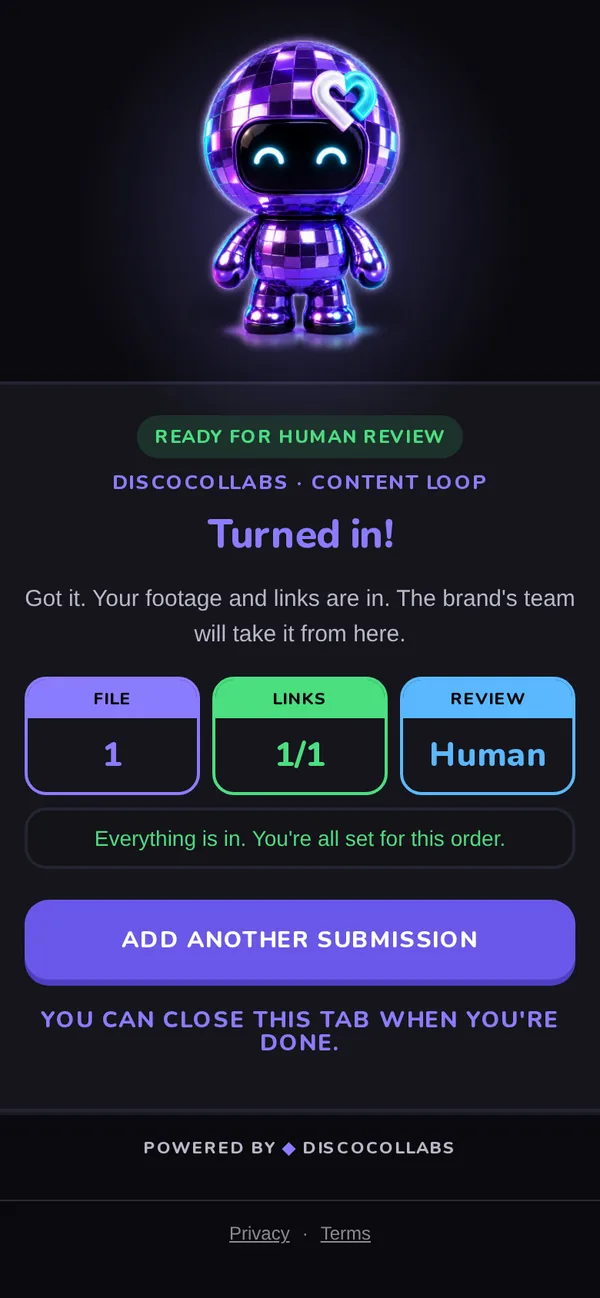
Creator hub · turned in 08 · Owned You
Next drop, they're already yours.
Creator details, content and rights live in your roster and content vault — exportable any time, never held hostage. Your pipeline shows where everyone actually is: sample sent, scanned, confirmed their email, read the brief, turned something in, post link received. Content with rights attached packs into a ZIP ready to run on TikTok, Meta or Google.
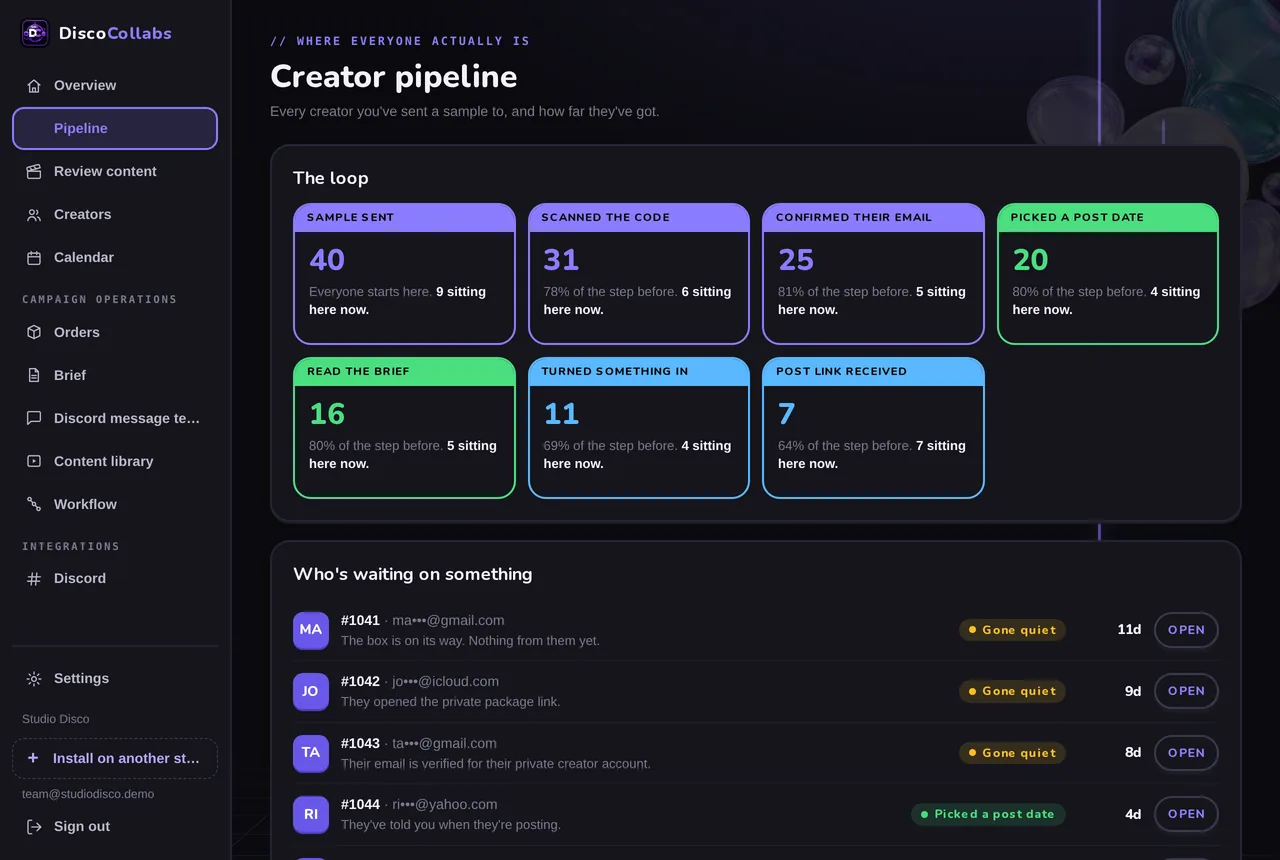
Your dashboard · creator pipeline · demo programme
What runs by itself
The follow-up you'd otherwise do by hand.
Creator emails
A first email with their hub link when the sample goes out, shipping and delivery updates, and a "did it arrive?" check if the carrier goes quiet. Only to the email the creator gave you.
Your heads-up
If nothing has come back 7 days after delivery, you get told once — so silence is a signal, not a guess. The timing is yours to change.
Discord, optional
Run the whole loop without it. If you already have a creator community there, switch it on: a reminder DM 3 days after delivery, repeating every 48 hours up to the cap you set.
Switch it on when you want it
Off by default. One toggle each.
Every brand starts on the simplest loop above. These change what creators are asked for, so they're your call — each is a single switch in settings, and switching one off never deletes what creators already gave you.
Option · creators pick a post date
They tell you when. Reminders count down to it.
Switch it on and the hub adds one step after verification: pick a date inside your posting window, and tick where they'll post. Reminders then count down to that date instead of running from delivery, and your posting calendar fills in.
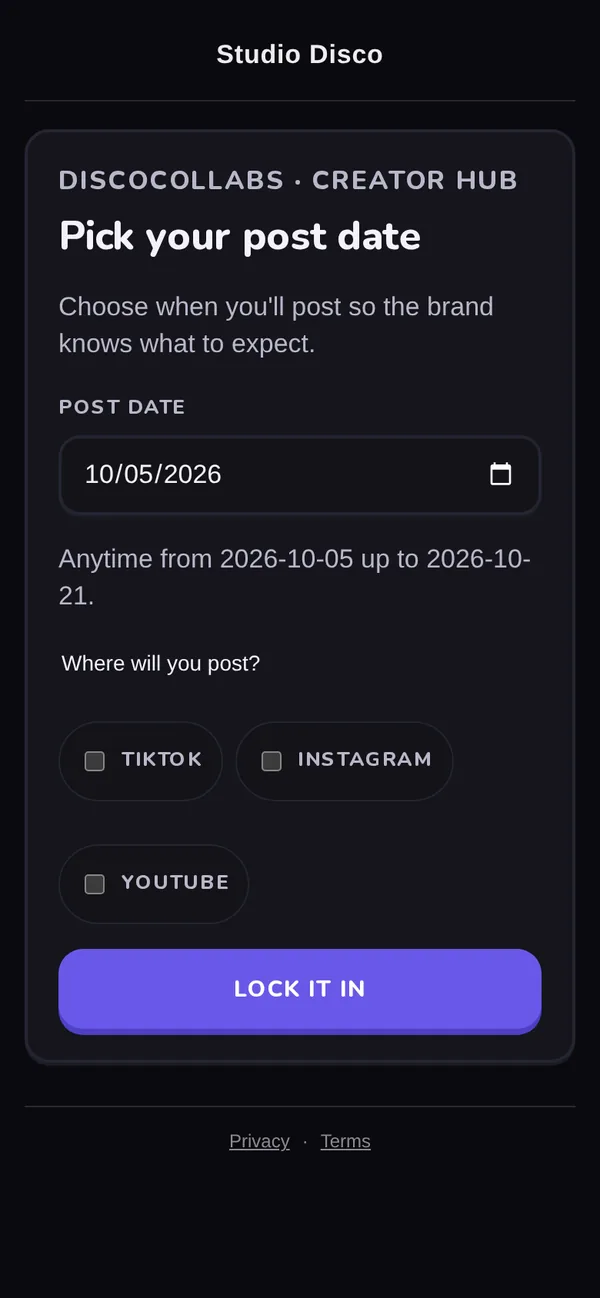
Option · off by default
Creators pick a post date
After their gift ships, creators get a link to choose a post date. Reminders then count down to that date instead of running from delivery, and your posting calendar fills in. Dates already picked are kept if you switch it off.
Option · off by default
Require a TikTok Spark code
A TikTok post counts as ad-ready only once the creator supplies a Spark code, so you can boost it from their handle. Off, a post link, the file and accepted usage rights are enough.
Option · off by default
Require an Instagram partnership code
An Instagram post counts as ad-ready only once the creator supplies a partnership ad code — for brands running partnership ads.
Option · off by default
Discord community
If you already run a creator Discord, the hub invites creators in and reminders also arrive by DM. The loop never needs it.
On by default
Problem reports
Creators can report a problem with their gift, which pauses their reminders and alerts you. Switch it off to hide the form.
Questions
Can creators choose their own post date?
Yes — switch on "Ask creators to pick a post date". The hub then asks for a date, reminders count down to it, and your calendar fills in. It's off by default, so out of the box reminders run from delivery instead.
Do creators need an account or an app?
No. They scan, confirm their email with a 6-digit code, and they're in. A passkey makes return visits one tap.
Does it work with TikTok Shop sample orders?
Yes, for every box you pack yourself. Boxes TikTok packs in its own warehouses (FBT) can't carry an insert, so they're kept out of the print queue.
Who approves the content?
You do. Every submission waits for human review; nothing is approved automatically.
What does it cost?
Flat plans metered by unique creators per month: Starter $29 (25), Growth $79 (100), Pro $199 (500). 0% of your sales, 30-day free trial. Full pricing.
Be first on the floor.
DiscoCollabs is coming soon to the Shopify App Store — 30-day free trial, no credit card. Leave your email and you're first in the day it drops.
Get early access